VR 120

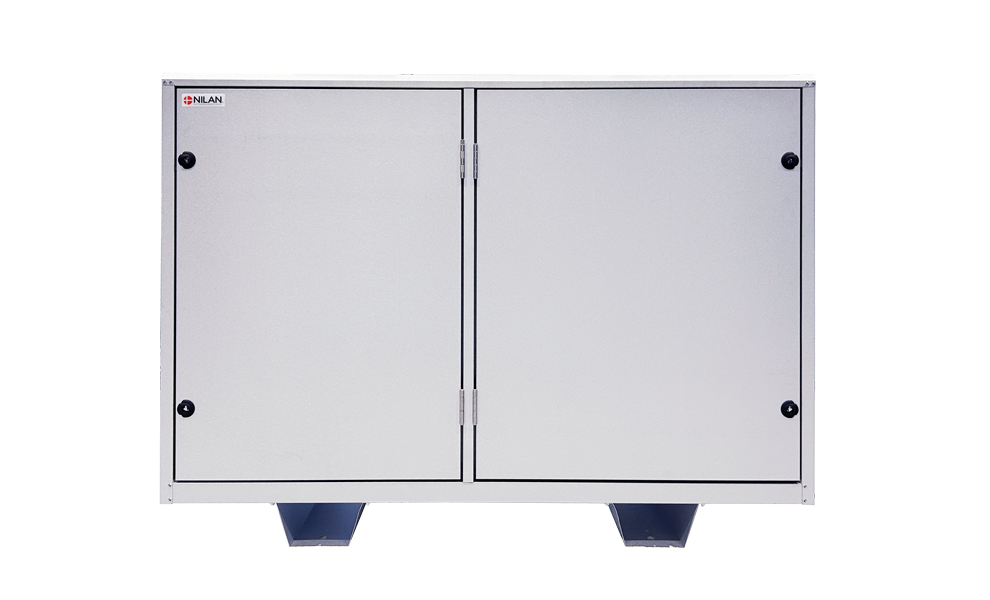
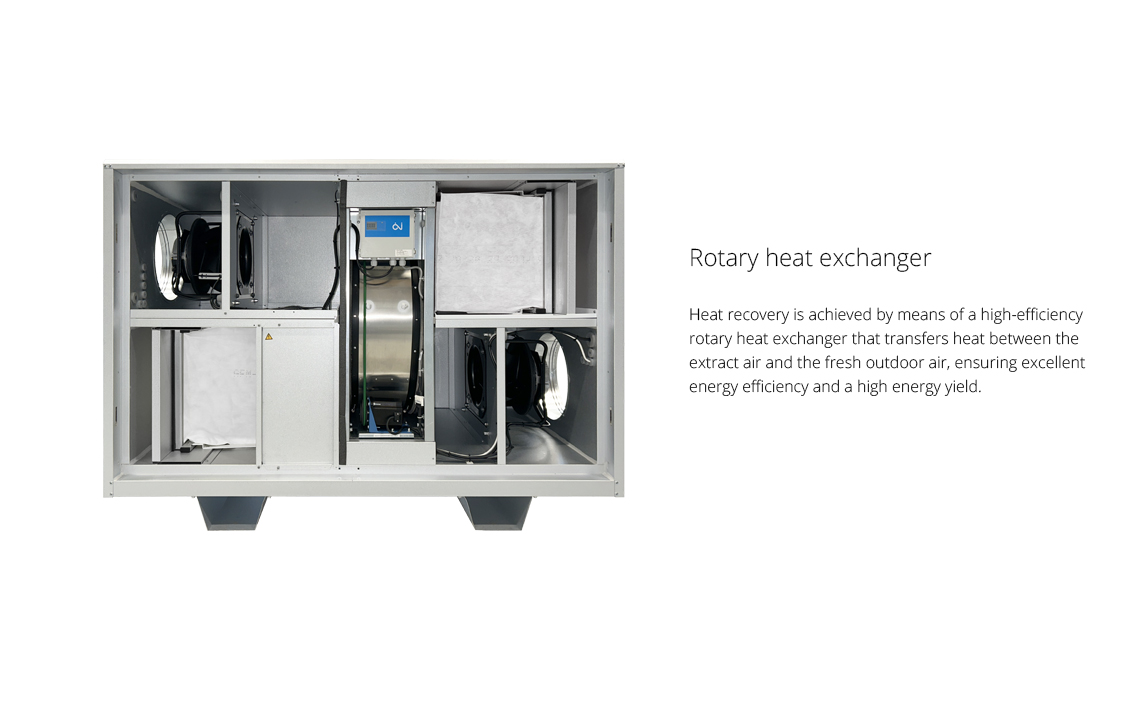
The VR 120 is a ventilation unit designed for central ventilation of buildings. The unit is equipped with a rotary heat exchanger that ensures stable passive heat recovery with high efficiency and contributes to a comfortable indoor climate all year round. The series also offers natural cooling (free cooling), integrating both comfort and energy efficiency into daily operation.

The VR 120 is suitable for installation in schools, offices, meeting rooms, and other commercial premises where comfort, energy efficiency, and operational reliability are required.

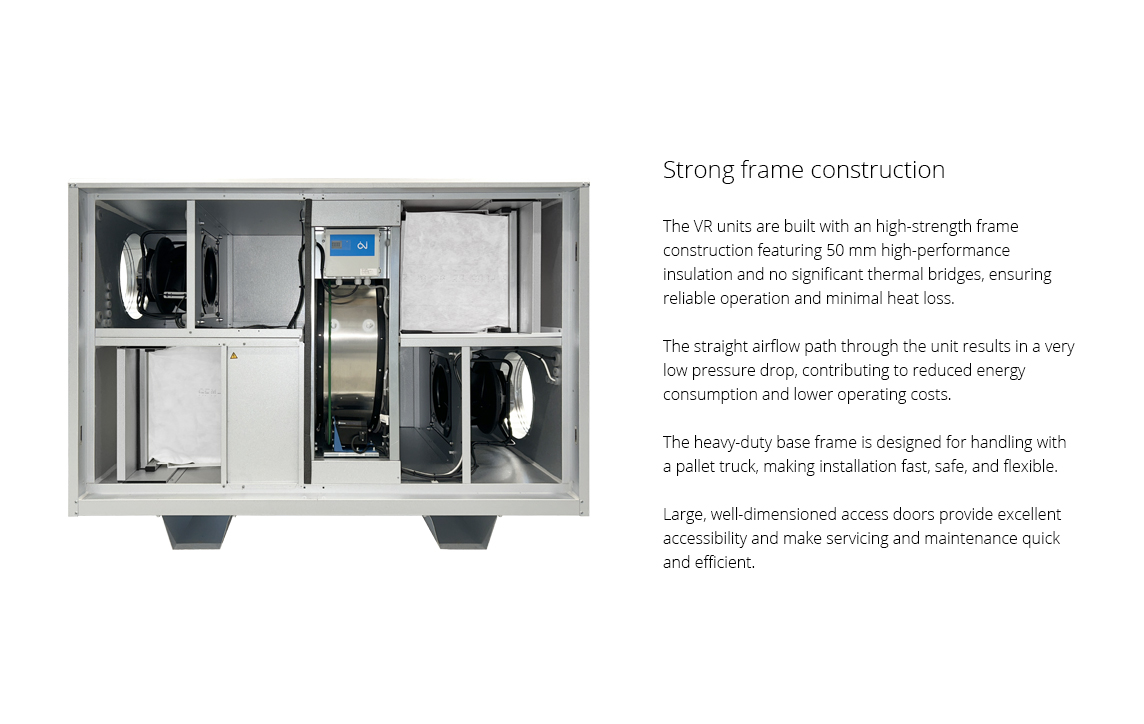
The VR series features a self-supporting frame and 50 mm insulation, providing a durable and compact unit that is easy to place in technical rooms with limited space. Flexible spigot positioning and universal connection options make it easy to adapt the installation to the building.

The VR 120 is designed with a focus on simple installation and easy access for servicing.
 

Airflow (see planning data for SEL/SFP values)

Min : 0 m3/h
Max : 1950 m3/h
Dimensions (W x D x H) excl. base frame 1500 x 815 x 975 mm
Weight 215 kg
Plate type casing Aluzinc steel plate
Max. power consumption 1.0 kW
Power supply 1 x 230V + N, 50 Hz
Max. phase current 1 x 10 A
Filter class  Standard bagfilter ISO ePM10 >60% (M5) extract air and ISO ePM1 50% (F7) fresh air
Duct connections Ø 315 mm
Tightness class DS/EN 1886 L2


Heating data - condensation exchanger

Air flow 1200 m3/h
Outdoor temperature -7 °C / 72% RH
Extract air temperature 20 °C  / 38% RH
Rotary heat exchanger 10.68 kW

Capacity (condensation exchanger)

The following design data is calculated on the basis of a condensation exchanger.

Max Pa capacity of standard unit, Pt,ext as a function of qv, with regard to SFP-values.

SFP-values according to EN13053 for a standard unit with ISO ePM10 >60% (M5) & ISO ePM1 50% (F7) filters an no heating element.

* Airflow speed above evaporator is measured at meters per second.

Attention! The SFP values are measured and stated as a total value for both fans.

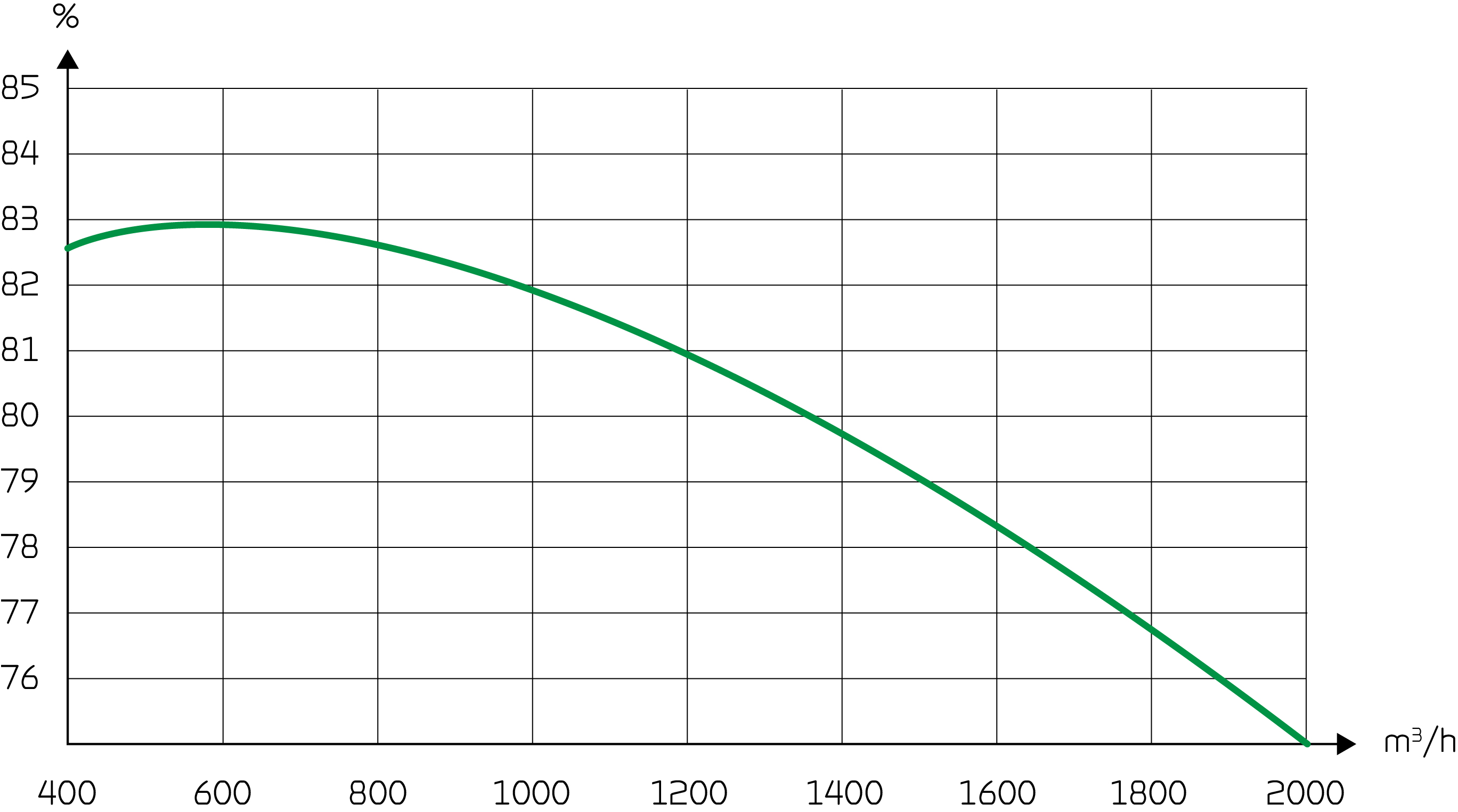
Temperature efficiency

Temperture efficiendy for rotatry heat exchanger according to EN308 (dry).

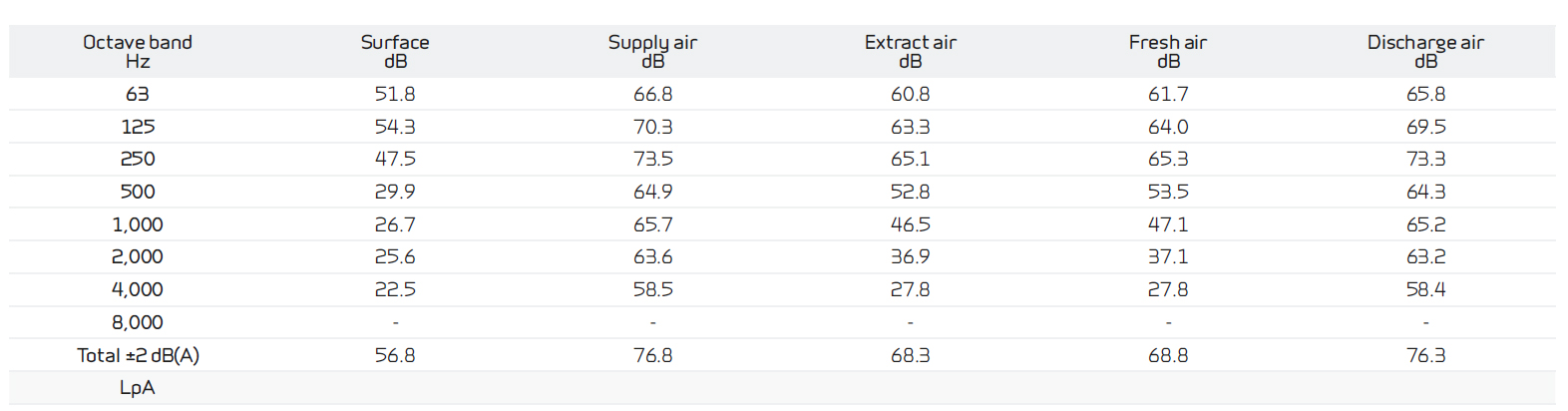
Sound data

Sound data for qV = 1200 m3/h and Pt, ext = 200 Pa according to EN 9614-2 for surfaces and EN 5136 for ducts.


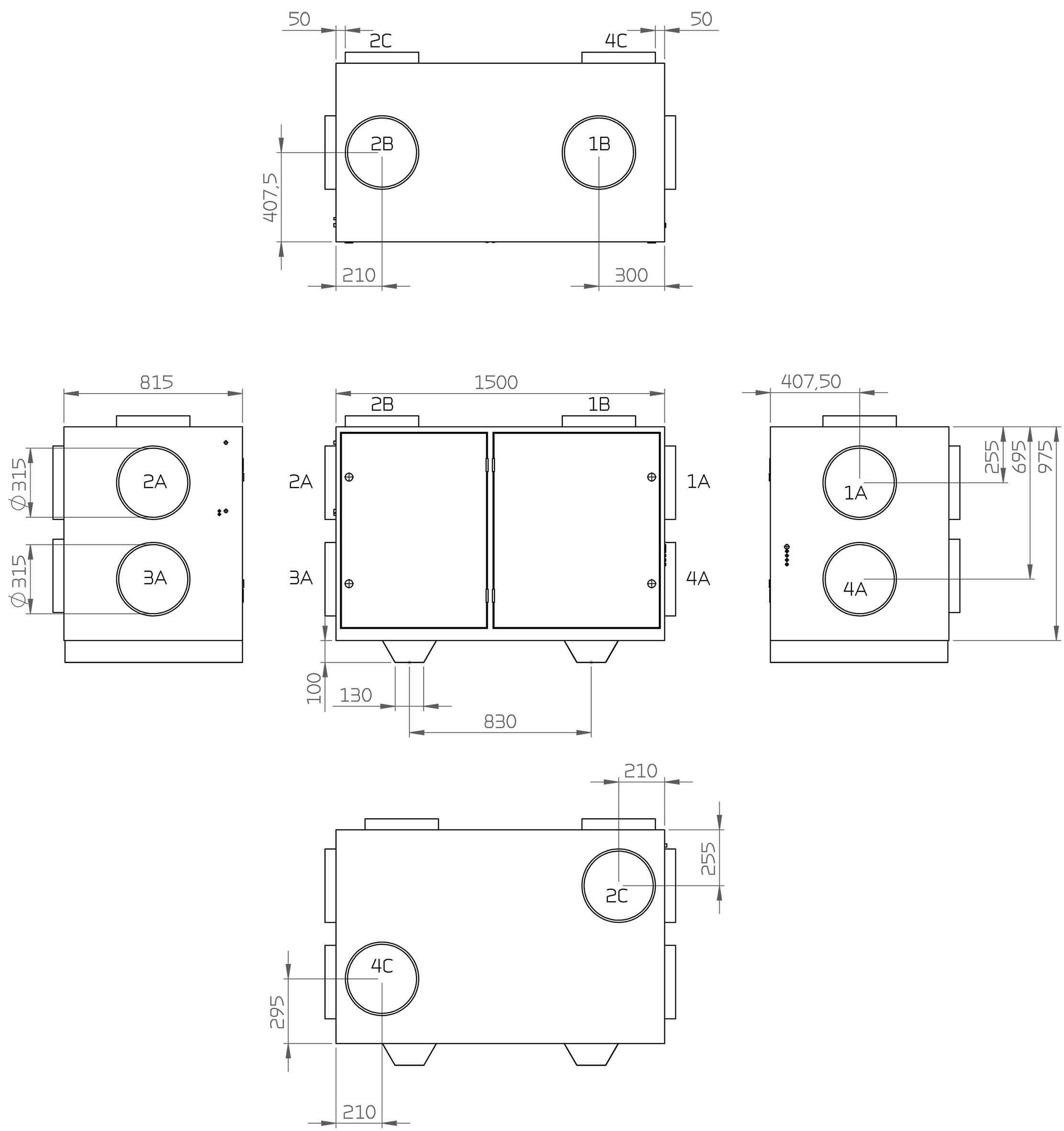
Dimensional drawing VR 120 (Left version):

All dimensions are shown in mm.

1. Outdoor air
2. Supply air
3. Extract air
4. Discharge air

A. Gable location
B. Top location
C. Rear location
 

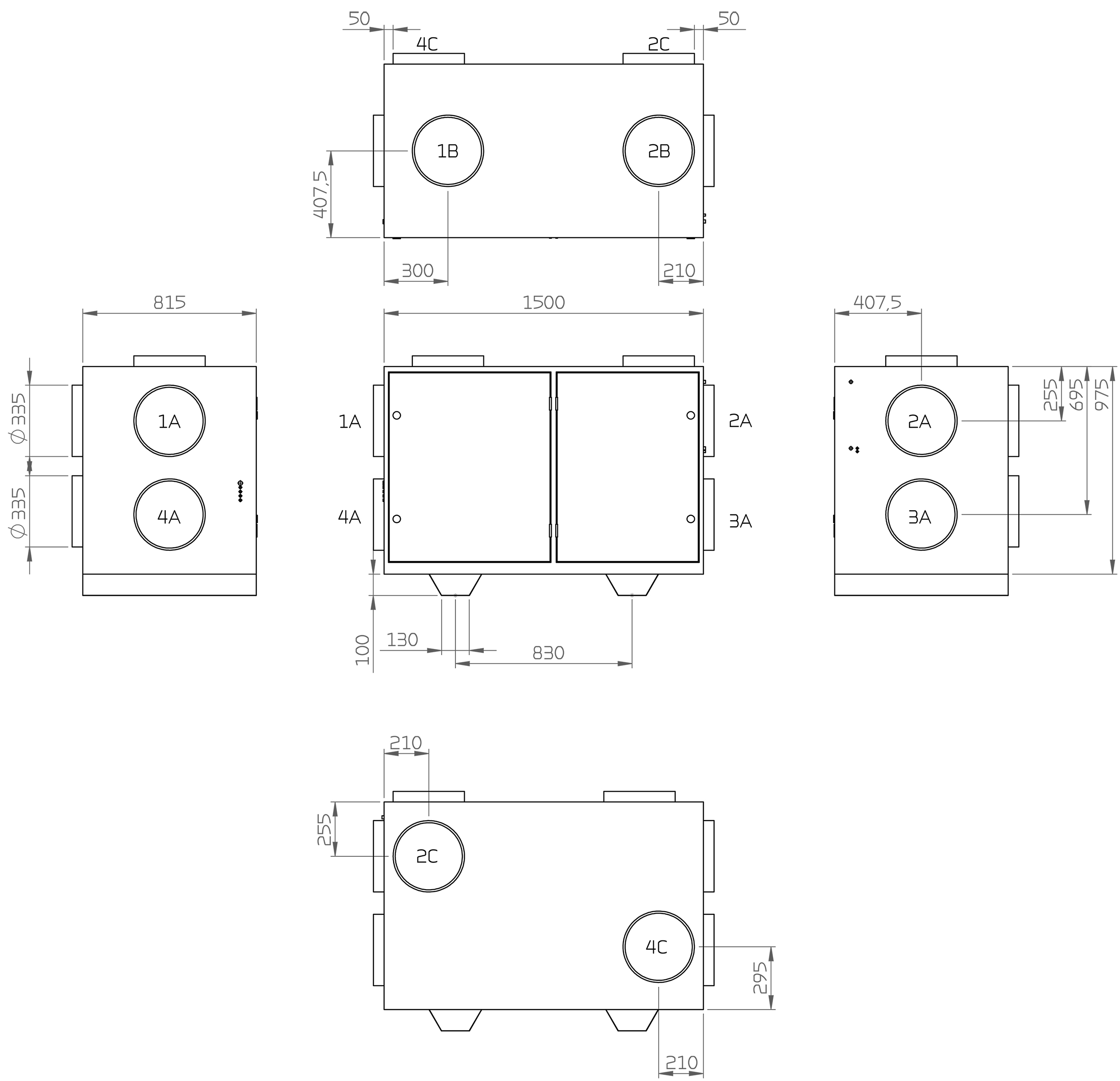
Dimensional drawing VR 120 (Right version):


All dimensions are shown in mm.

1. Outdoor air
2. Supply air
3. Extract air
4. Discharge air

A. Gable location
B. Top location
C. Rear location

CTS602i is an advanced control system for commercial ventilation units, offering a wide range of configuration options. The control system is supplied from the factory with a basic setup that can easily be adapted to specific operational requirements and preferences. This ensures stable and efficient operation as well as optimal utilisation of the unit.

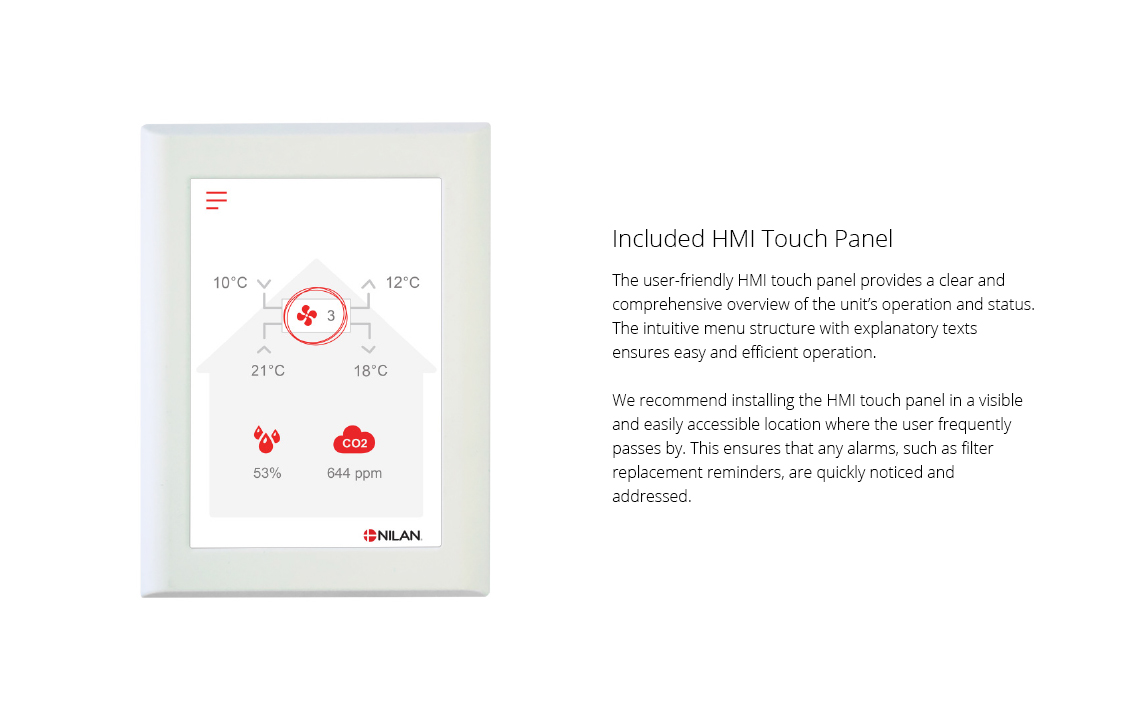
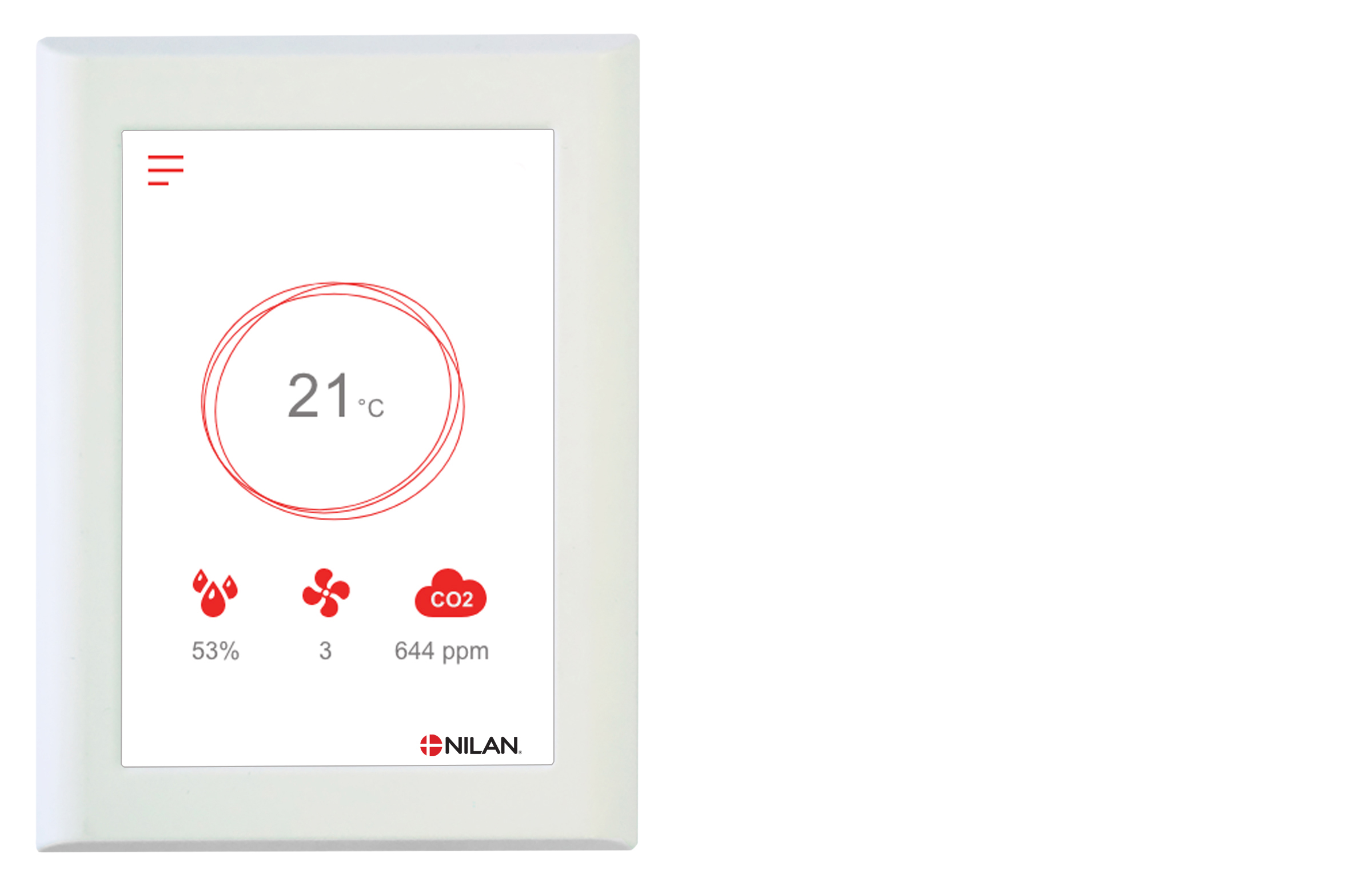
The HMI touch panel provides a clear overview of the unit’s current operating status and features an intuitive menu structure that is easy to navigate for both users and installers.

External communication
CTS602i supports open Modbus RS485 communication, allowing integration with external BMS/CTS systems.

Functions overview   +Standard
-Accessories
Alarms Description of errors indicated with alarms. Alarm log displaying the latest 16 alarms. +
Joint alarm The CTS602 control system has an output signal that is activated in the case of an alarm. It can be connected to, for example, external automation.  
Filter monitor Filter alarm with timer that can be set to 30/90/180/360 days. +
Data display An overview of the current operation with regards to temperatures, fan speed level etc. +
Week program The CTS602 control system has 3 week programs that can be set individually (the default setting is “off”). +
Humidity control Enables a higher or lower degree of ventilation at a high/low level of humidity. -
Air quality Enables you to adjust the degree of ventilation depending on the CO2 level in the air. -
Winter low You can prevent a low level of humidity in the dwelling by activating low ventilation at low outdoor temperatures. +
Temperature regulation Enables you to control the operation of the unit in accordance with the room temperature. +
Summer/winter mode You can set the unit to operate in summer or winter mode.  
Language You can choose from more than 10 languages in the control panel. +
User levels The menu in the control panel is divided into 3 user levels: User/Installer/Factory. +
User selection 1 Enables you to override the operating mode via an external potential free signal. +
Electrical after-heating element An electrical after-heating element allows you to control the supply air temperature. In this way the unit can help heat the dwelling. -
Water after-heating element A water after-heating element allows you to control the supply air temperature. In this way the unit can help heat the dwelling. -
Air exchange Stepless setting of four fan speed levels. The supply air and the extract air can be set individually. +
Room low Safety function that will cause the ventilation unit to stop if the heating system for the dwelling fails. This will prevent the unit from cooling the dwelling even further. +
External fire automation system You can connect the ventilation unit to an external fire automation system or to a fire thermostat. This will signal to the unit whether to stop or continue operation. +
Integral fire automation system The ventilation unit is available with an integral fire automation system that can control fire and smoke dampers. -
Pressure control regulator You can install a pressure sustaining regulator on the side of both the extract air and the supply air. -
Delayed start-up You can activate a delayed start-up of the fans if you install, for instance, a shut-off damper. +
Restore settings You can save the current settings and subsequently restore them if, for instance, the user has altered the settings on the unit. You can also reinstall the default settings. +
Manual operation Different functions can be tested manually. +
Modbus  You can set the Modbus address of the unit. The default setting is 30. +
Data logging It is possible to log the operational data of the unit every 1 - 120 min. Alarms are logged when they occur. +
Control panel You can choose from 2 different images for the main screen. +

You can find further information about all the functions in the Software and Installation instructions for the unit.


Accessories